Quick answer: the NN OK apps are installed on Android through an APK file from the brand’s official page, using the download button on this page, and the whole setup takes a few minutes.
NNOK is a gaming and betting platform used by players in Bangladesh. This independent page walks you through the install, the first login and the errors people hit most often.
NNOK – Before you start: a short checklist

Most failed installs come from skipping a basic check, so run through this list first.
- An Android phone with enough free storage (the file size is shown on the download page).
- A stable mobile data or Wi-Fi connection, because a broken download gives a corrupt file.
- A phone number you can receive SMS on, for the OTP code.
- You are 18 or older.
- Your bKash or Nagad number ready if you plan to deposit later.
NN OK apps download on Android
Android blocks files from outside Google Play by default, so you must allow the install once. Here is the order.
- Tap the download button on this page. It leads to the brand’s official page.
- Download the APK file and wait until it finishes.
- Open the file. If Android asks, allow Install unknown apps for your browser.
- Tap Install, then Open.
- Go back to Settings and switch the unknown-apps permission off again.
Only use the file from the brand’s official page. Never take an APK sent through chats or from strangers, and avoid anything labelled "mod". Google explains the permission in its Android Help pages if your phone menu looks different.
Does it work on iPhone?
This page covers Android only. If you use an iPhone, the mobile website in your browser is the option to check.
Register and log in after installing
You need an account before anything else works. Open the app, tap Register, enter your phone number, set a password and confirm the SMS OTP (a one-time code). Use a number you keep long term, since recovery depends on it.
Already have an account? Our page on signing in and recovering access covers the login screen and password reset in detail.
Glossary: terms beginners trip over
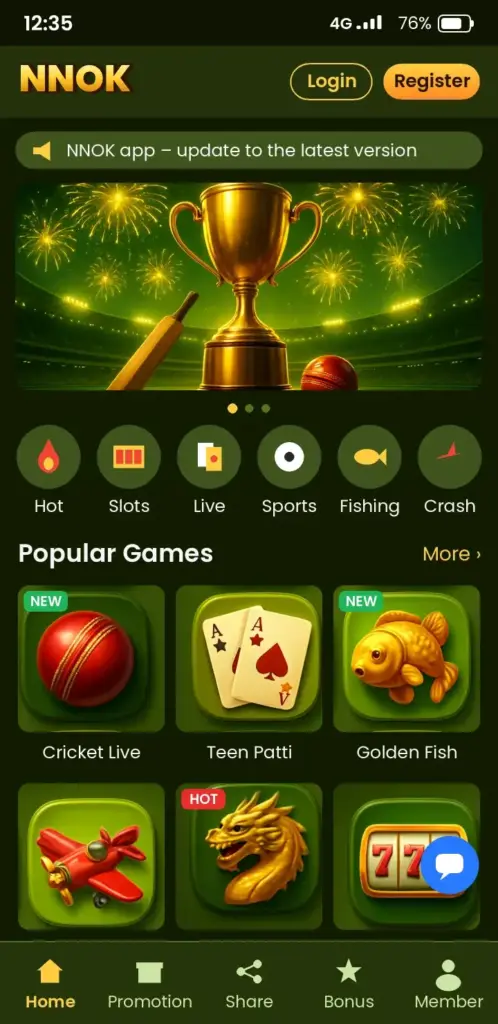
- APK: the install file for an Android app that does not come from Google Play.
- OTP: a one-time code sent by SMS. Never share it with anyone.
- TrxID: the transaction ID from bKash or Nagad after you send money; the app asks you to paste it.
- Wagering: the playing requirement attached to a bonus before you can withdraw it.
- KYC: identity verification that can be asked before a withdrawal.
Fixing install and login problems
| Problem | Likely cause | Fix |
|---|---|---|
| APK will not install | Unknown-apps permission is off, or the file is incomplete | Allow the permission for your browser and download the file again |
| OTP does not arrive | Weak signal or wrong number | Check the number, move to better coverage and request the code again |
| App closes on open | Low storage or an old copy | Free some space, then install the new APK over the old one |
| Login fails | Wrong password or typing error | Use the app’s own password recovery, never a helper on social media |
Deposits and payment apps
The Deposit screen lists the methods currently available, and the minimum amount is shown there before you confirm. For bKash, the usual flow is: choose the method, enter the amount in taka, send the money, then paste the TrxID. You can check the payment app itself through the official Nagad website if you want to confirm how its send-money feature works.
Withdrawals can ask for verification, and the account name should match your wallet. A withdrawal request is not a win, and results in games are chance.
Keeping the app safe and updated

- Use a unique password you do not use elsewhere.
- Log out on a borrowed phone.
- Ignore “support” messages asking for codes or money.
- Install a new APK over the old one to update; the account stays.
To understand who runs this page and how it is checked, read about our independent team. Questions about the page go through the contact page; account problems belong with the brand’s own support.
Is NNOK Worth It? Our Verdict
The app suits Android users in Bangladesh who are comfortable installing an APK and paying through bKash or Nagad. Skip it if you want a Google Play listing or an iPhone app.
Check the download source first, everything else second.
Ready to install? Use the download button on this page, then follow the five steps above.
Play only if you are 18+, with a budget you can afford to lose and a time limit. Never chase losses; gaming is entertainment, not income. See our responsible gambling page for tools and self-exclusion.
Frequently asked questions
Are the NN OK apps free to download?
Yes, the APK download itself carries no charge. Any deposit you make later is your own choice.
Is there a NNOK app on Google Play?
This page treats the Android APK from the brand’s official page as the route. Do not trust unofficial listings.
Why will my NNOK APK not install?
The Install unknown apps permission is off for your browser. Allow it, retry, and switch it off again afterwards.
How do I update the NNOK app?
Download the newest APK from the brand’s official page and install it over the old one. Your account stays.
Can I deposit with NN OK apps bKash or Nagad?
Check the Deposit screen for the methods currently offered and the minimum amount before you confirm.
Can I earn guaranteed money from the app?
No OK APPS . Game results are chance, and no app can promise income.